asadmin> list-hazelcast-members
{ server-/127.0.0.1:5900-this }

asadmin> list-hazelcast-cluster-members
Instance Name  Instance Group  Instance Type  Host Name  HTTP Ports  HTTPS Ports  Admin Port  Hazelcast Port  Lite Member  Deployed Applications
server server-config DAS 127.0.1.1 8080 8181 4848 5900 false __adminguiViewing Data Grid Members
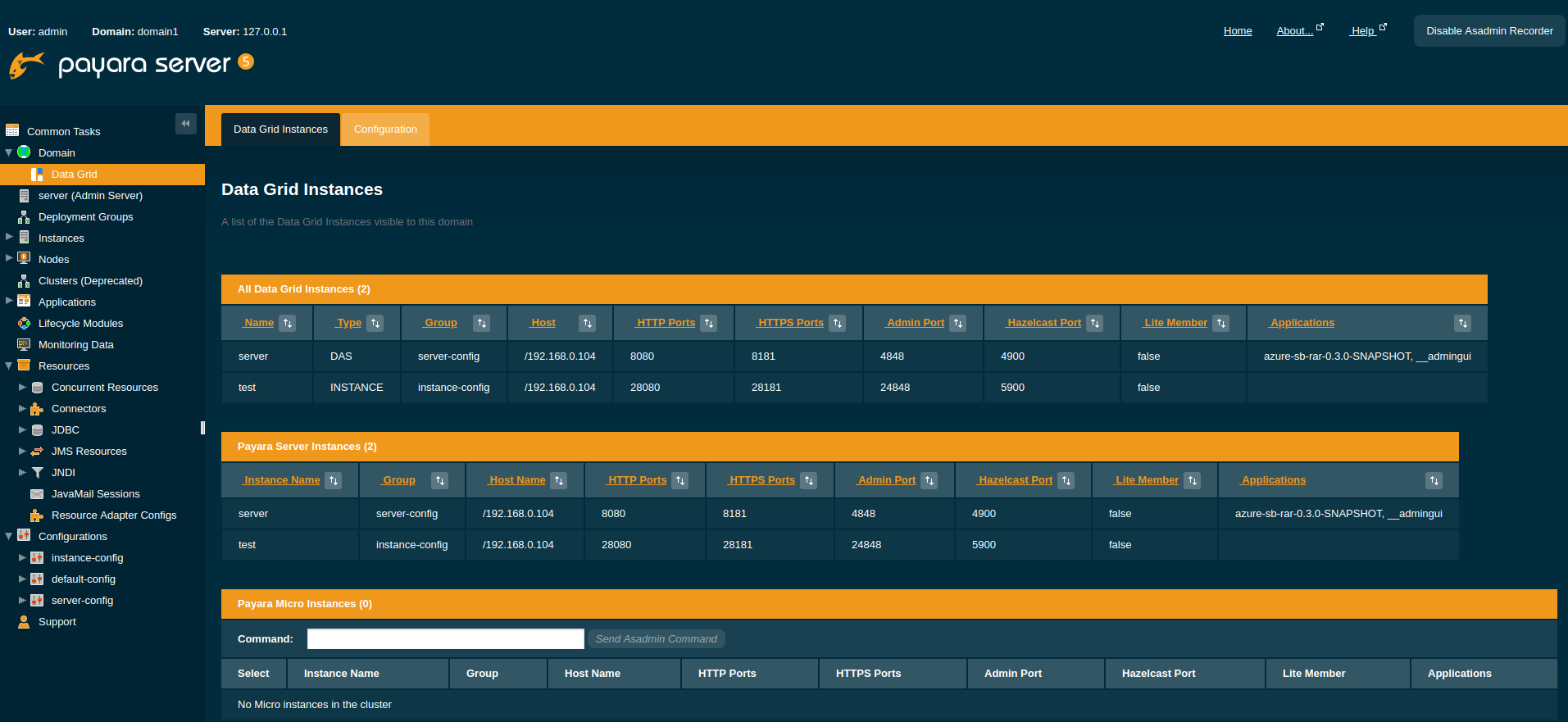
This section details how to visualize the members of the Domain Data Grid on Payara Server.
Viewing Data Grid Members from the Admin Console
To view data grid members from the admin console:
Viewing from the DAS
Selected the Data Grid tree node under the Domain and Select the "Data Grid Instances" tab.
Viewing Cluster Members via asadmin
To view the current cluster members from the command line, run one of the following
asadmin commands: